 Glimpse Media
Glimpse for Ubuntu and GNOME
 Glimpse Network Scanner
 finds every device on your network, including ones that ignore pings, and tells you what each one is, who made it, what it is called and what it offers. It also finds CCTV cameras and shows their live picture, opens devices' web pages in its own browser and lists the Wi-Fi networks around you.
What it does
What it tells you
- Type: router, computer, server, phone, tablet, printer, TV, speaker, camera, network storage, game console and more, with its reasons
- System: Windows, Linux, macOS, iOS, Android, Android TV, webOS and so on, from how it replies
- Model and maker, hardware address and who made the network card, and names from DNS, Bonjour and Windows
- Open ports and the program behind each, web page titles, certificates and their dates, and Bonjour services such as AirPlay and Google Cast
- Reply time, and whether a device is hiding: answering the network's address check but nothing else
Three ways to look
- The Map shows every address at a glance: blue for devices, orange for hiding ones, green for the router
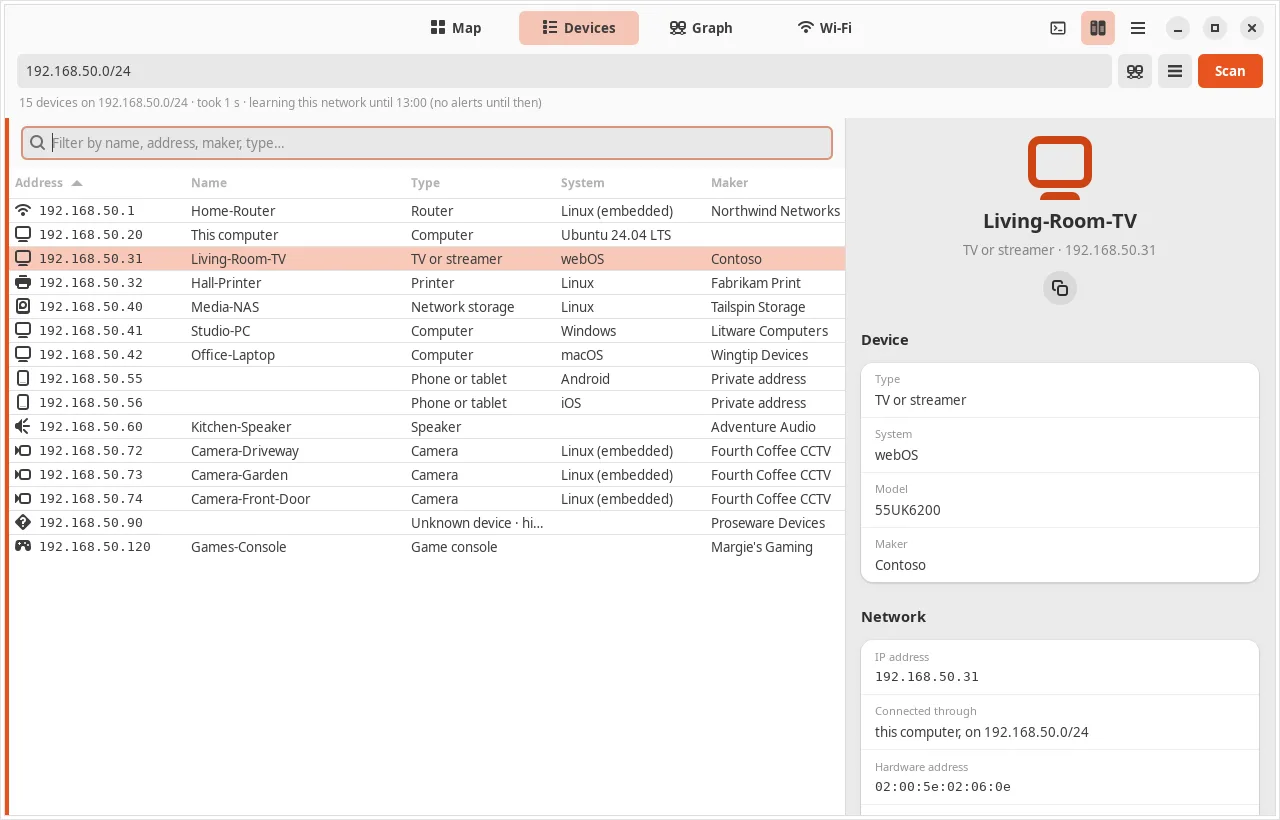
- The Devices list sorts and filters by anything
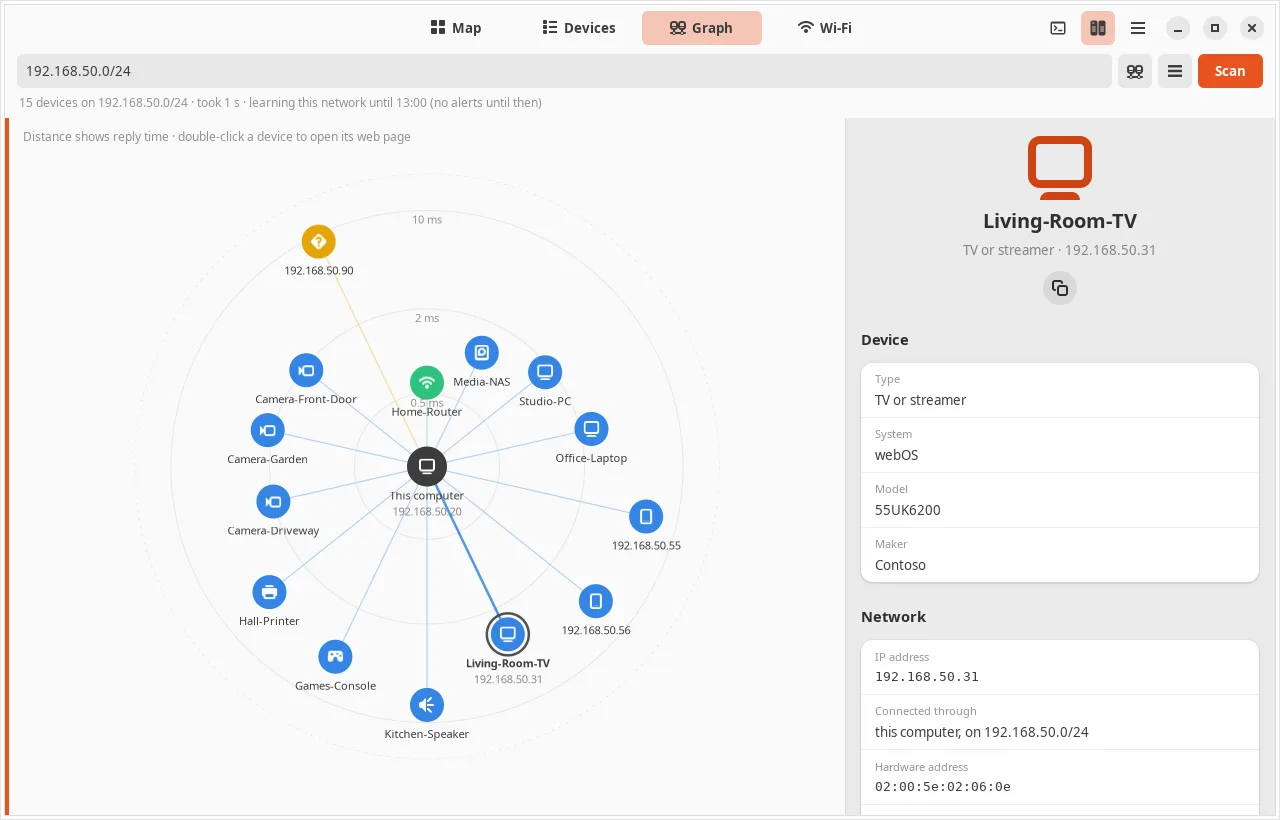
- The Graph puts your computer in the middle, with each device as far away as its reply time
Cameras and recorders
- Finds ONVIF cameras and video recorders, also across a router or behind a firewall
- Live picture (H.264 or H.265) from the main or sub stream, with pan, tilt, zoom and presets on PTZ cameras
- Snapshots, clock check, health, and events as they happen: motion, tampering, a line crossed
- Logins are sent as an ONVIF digest and can be kept in your keyring
Built-in browser
- Every address with a web page is a link, opened in the scanner's own browser with a tab per device
- Keeps its logins apart from your usual browser, and can trust a camera's or router's own certificate after showing whose it is
- Wake a device with Wake-on-LAN from its right-click menu
Wi-Fi and tools
- Lists the Wi-Fi networks around you with a channel chart
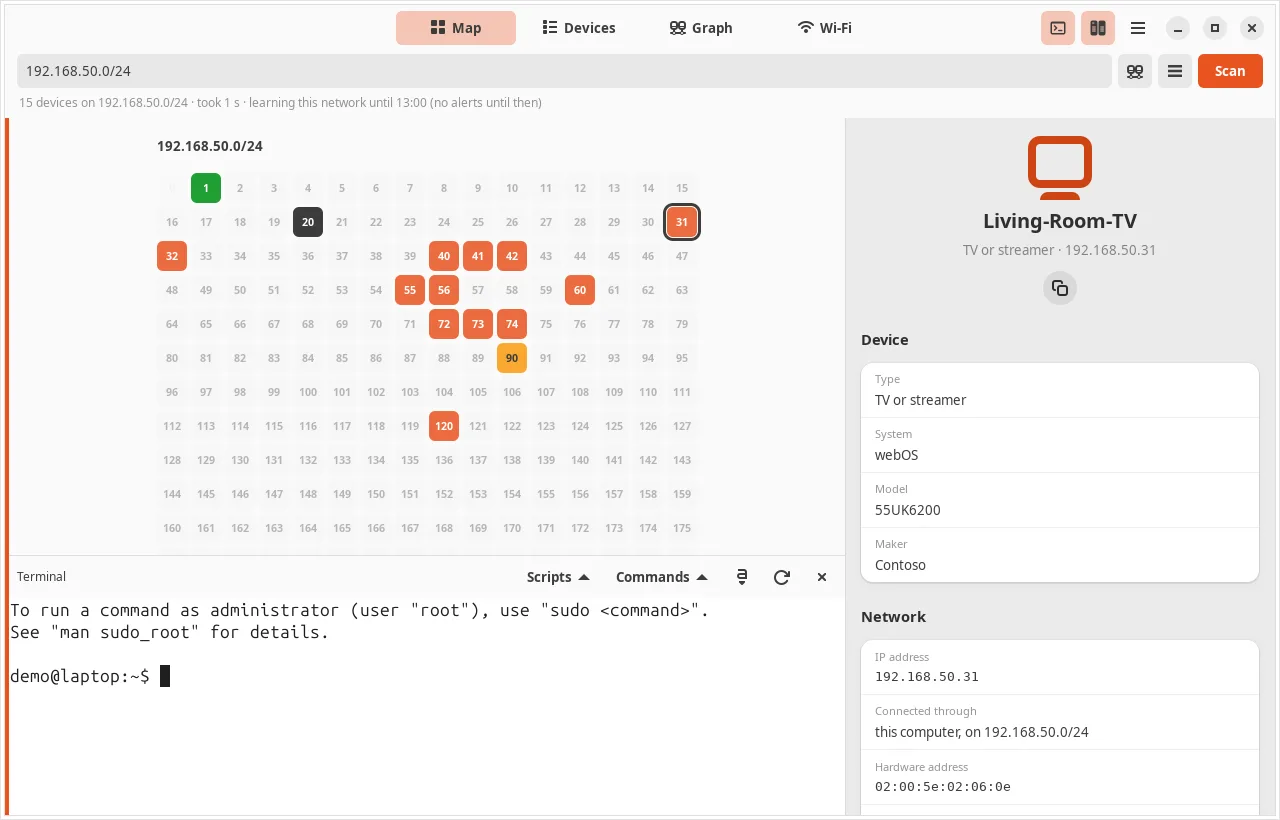
- A terminal, as administrator, with nmap and other network tools, your own scripts and a list of everyday commands
A closer look
Install it
For Ubuntu 24.04 LTS and newer. Open a Terminal (Ctrl+Alt+T), paste these lines one at a time and press Enter. The first two add the Glimpse software source; the last installs the app. apt fetches everything it needs from Ubuntu itself, and updates come with your normal Ubuntu updates.
sudo add-apt-repository ppa:turone/glimpse
sudo apt update
sudo apt install glimpse-network-scanner
To remove it: sudo apt remove glimpse-network-scanner. The software source is the Glimpse PPA on Launchpad, which has all four Glimpse apps.
The code is open: launchpad.net/glimpse-network-scanner. Problems and ideas go there too, or to [email protected].
Designed by Salvatore Turone and written with the help of Claude Code, Anthropic's AI coding tool: the ideas, design and testing are his; Claude wrote most of the code.
More from Glimpse
 Glimpse Media Viewer
 Glimpse File Manager
 Glimpse Music
 Lighthouse Launcher
Glimpse Media apps are free, with no adverts. If one has helped you, you can say thanks:
☕ Buy me a coffee