 Glimpse Media
Glimpse for Ubuntu and GNOME
 Glimpse Commands
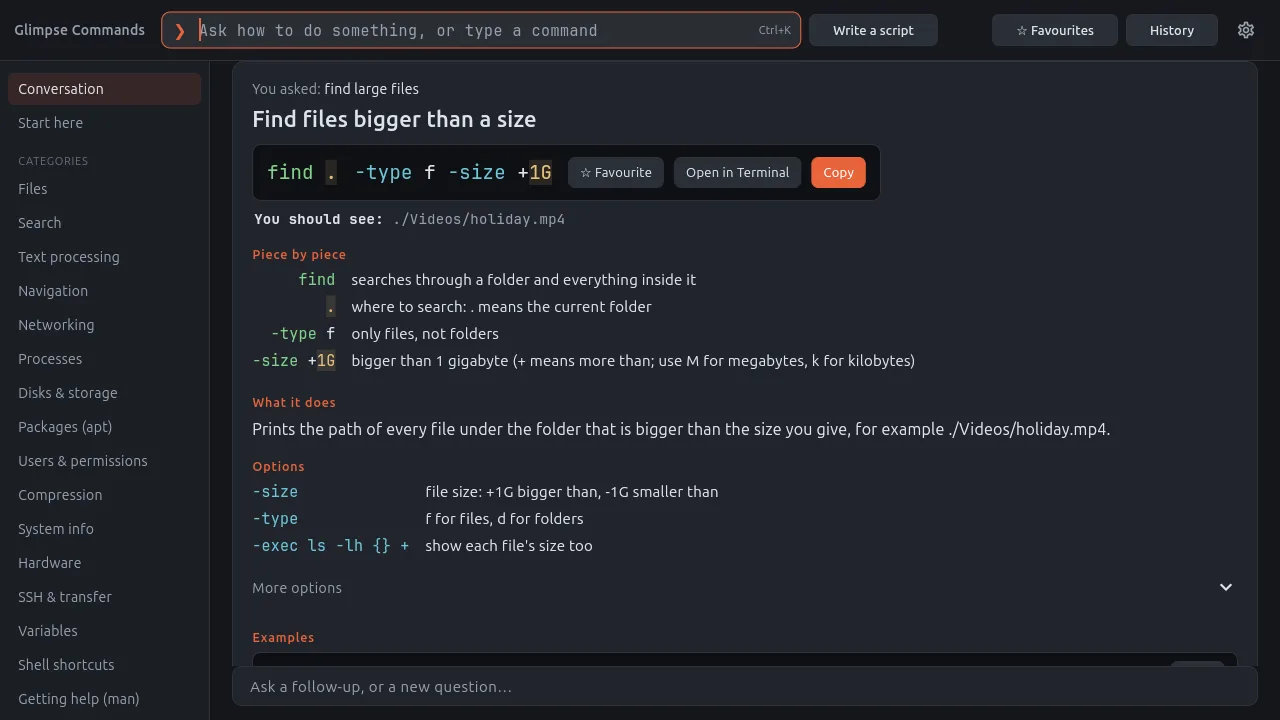
Describe a task in plain English and Glimpse Commands gives you a ready-to-use command, what each part means, the options, examples and what to ask next. It works fully offline, and it never runs anything by itself: it types the command at your prompt, and it runs only when you press Enter.
What it does
Ask in your own words
- Type what you want to do, such as “find large files”, and get the right command
- Over 1,100 commands and recipes, from the tldr, cheat and navi collections plus hand-written entries, in categories such as Files, Search, Networking, Disks, Packages, Users and Compression
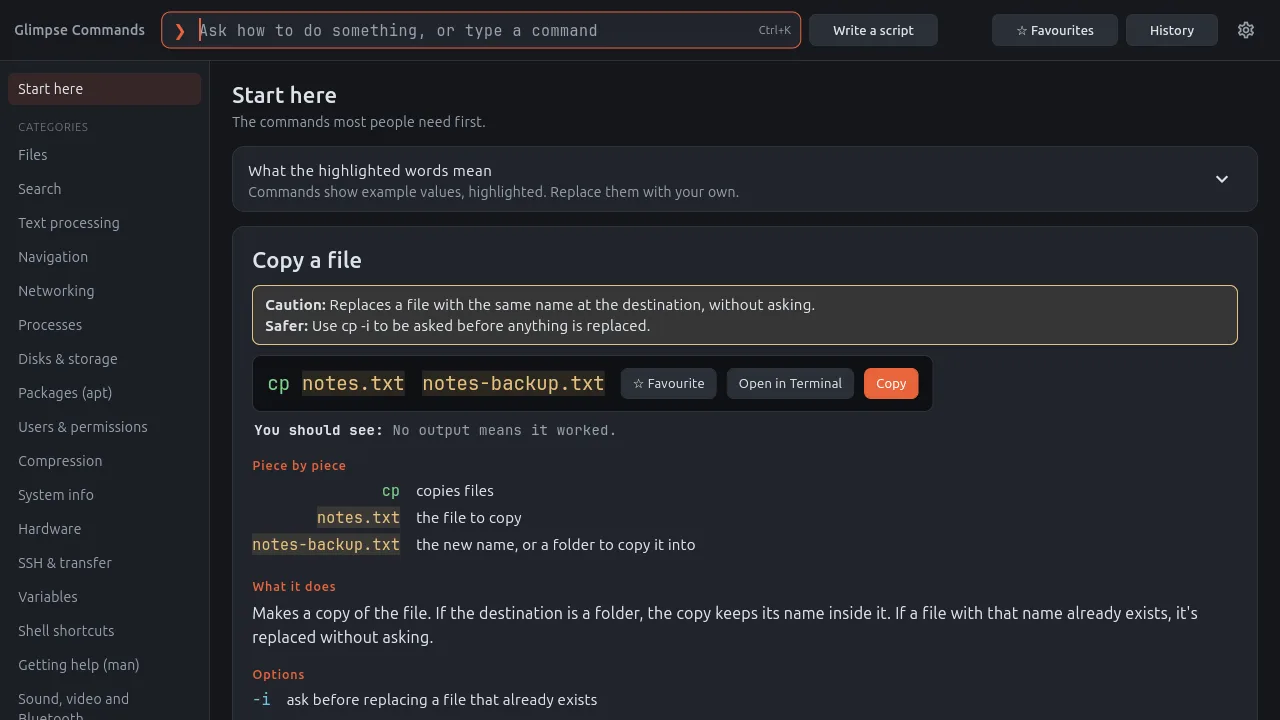
- A Start here page with the commands most people need first
- Ctrl+K to ask from anywhere in the app
Understand every command
- Piece by piece: what each word and option in the command does
- What it does, what you should see when it works, the options and examples, and what to ask next
- Example values are highlighted: replace them with your own
- Man pages are never bundled: the app reads them from your own system
Safe by design
- Risky commands carry a clear caution, and a safer way to do the same thing
- Open in Terminal types the command at your prompt; it runs only when you press Enter
- Favourites and History keep the commands you use
Ctrl+G in the terminal
- Optional: press Ctrl+G in a terminal, type what you want, pick a card with the arrow keys and press Enter
- The command is put at your prompt with the same warnings, and runs only when you press Enter again
- Turning it off in Preferences removes exactly the lines it added to your .bashrc
Optional AI helper
- Write a script: an AI writes Bash scripts and answers questions beyond the reference
- Offline with Ollama on your own computer, or online with Gemini, Claude or an OpenAI-compatible service using your own key, kept in the system keyring
- Only your question and the reference cards are sent; every AI answer is labelled with who wrote it, and has a Report button that shows the text first
A closer look
Install it
For Ubuntu 24.04 LTS and newer. Open a Terminal (Ctrl+Alt+T), paste these lines one at a time and press Enter. The first two add the Glimpse software source; the last installs the app. apt fetches everything it needs from Ubuntu itself, and updates come with your normal Ubuntu updates.
sudo add-apt-repository ppa:turone/glimpse
sudo apt update
sudo apt install glimpse-commands
To remove it: sudo apt remove glimpse-commands. The software source is the Glimpse PPA on Launchpad, which has the Glimpse apps.
The code is open: launchpad.net/glimpse-commands. Problems and ideas go there too, or to [email protected].
Designed by Salvatore Turone and written with the help of Claude Code, Anthropic's AI coding tool: the ideas, design and testing are his; Claude wrote most of the code.
More from Glimpse
 Glimpse Media Viewer
View pictures and play videos and music.
 Glimpse File Manager
Browse your files in columns, with previews and Advanced AI Search.
 Glimpse Music
Play the music on your computer, drives, shares and servers.
 Glimpse Network Scanner
See every device on your network, and what it is.
 Lighthouse Launcher
A home screen for Android that is easy for everyone.
Glimpse Media apps are free, with no adverts. If one has helped you, you can say thanks:
☕ Buy me a coffee