 Glimpse Media
Glimpse for Ubuntu and GNOME
 Glimpse Media Viewer
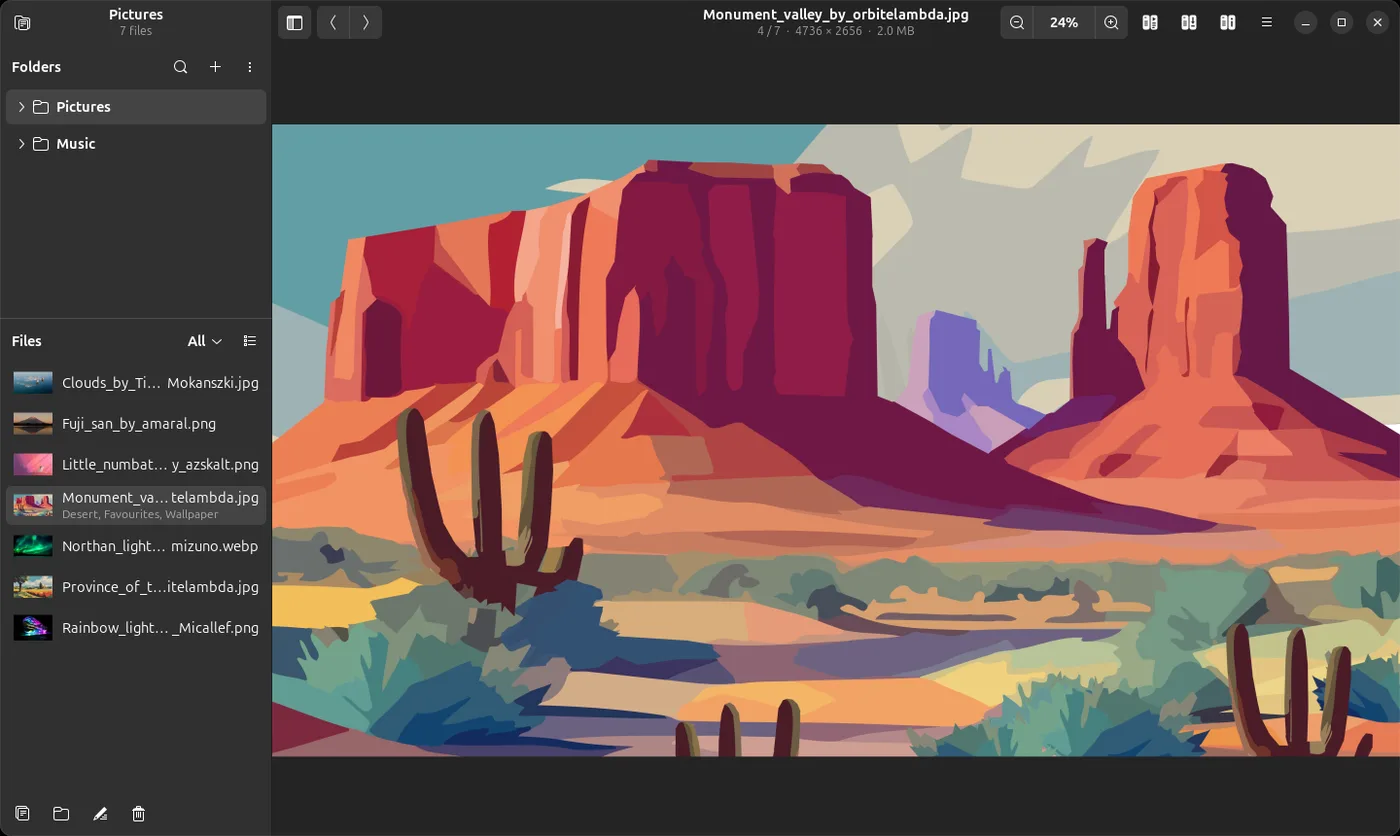
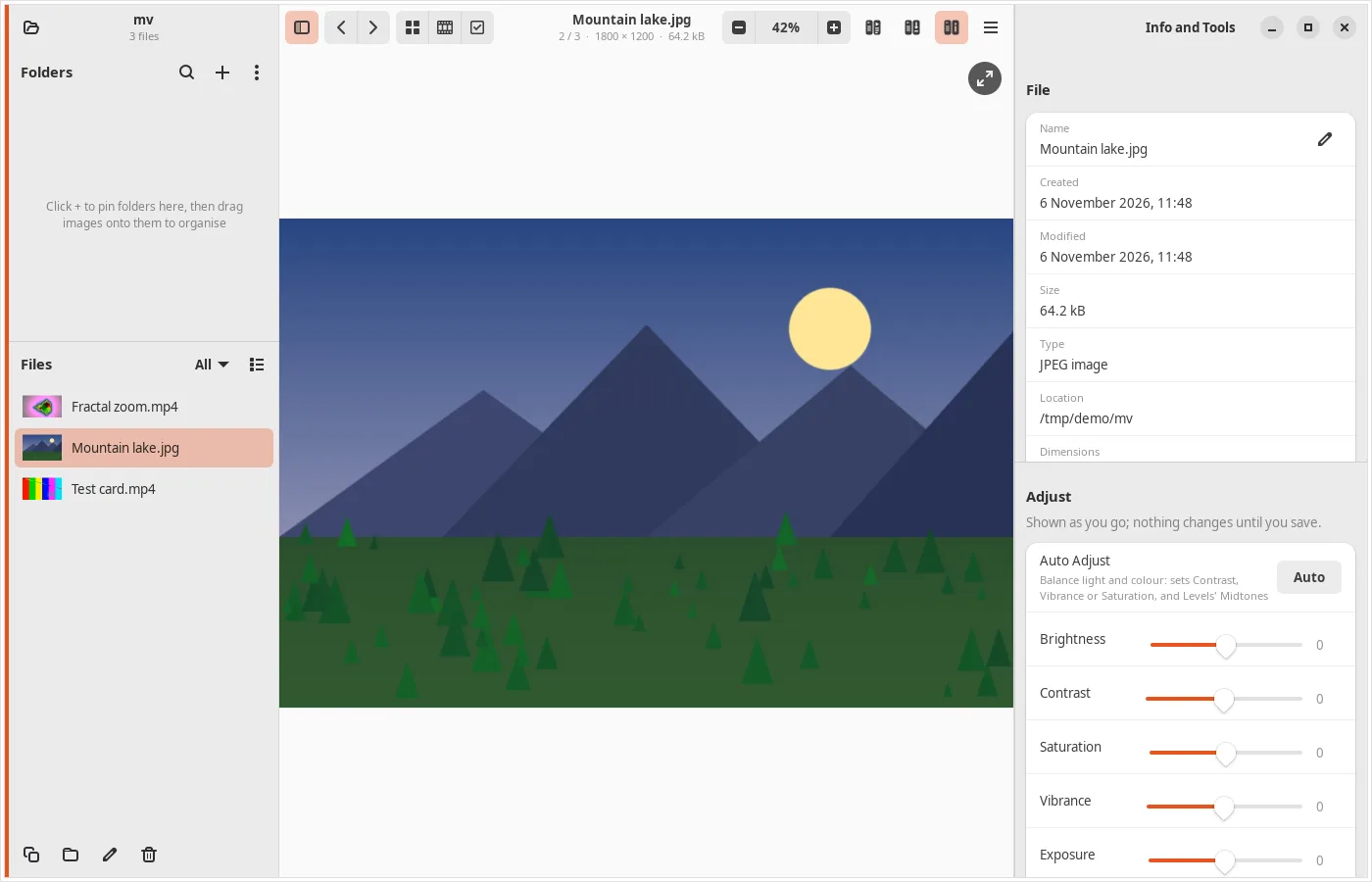
Open any file and everything in its folder is ready to browse, with thumbnails, tags and cover art. View pictures and camera RAW files, play videos and music, tag and rate photos, and tidy them up, all in one friendly window.
What it does
View
- Thumbnails of every image and video, and cover art for songs
- Four views: List, Details, Compact and Thumbnails (a grid you can make bigger or smaller)
- Zoom with buttons, keyboard, Ctrl+scroll or a pinch, and drag to pan
- JPEG, PNG, WebP, HEIC, AVIF, TIFF, SVG, GIF and many more, plus camera RAW from Canon, Nikon, Sony, Fujifilm, Olympus, Panasonic, Pentax and Adobe DNG
- Full screen with controls that slide up when needed; Browse shows the folder as big thumbnails; a filmstrip under the picture
- Star ratings kept in the picture as the standard XMP rating, and a map button for where a photo was taken
Play
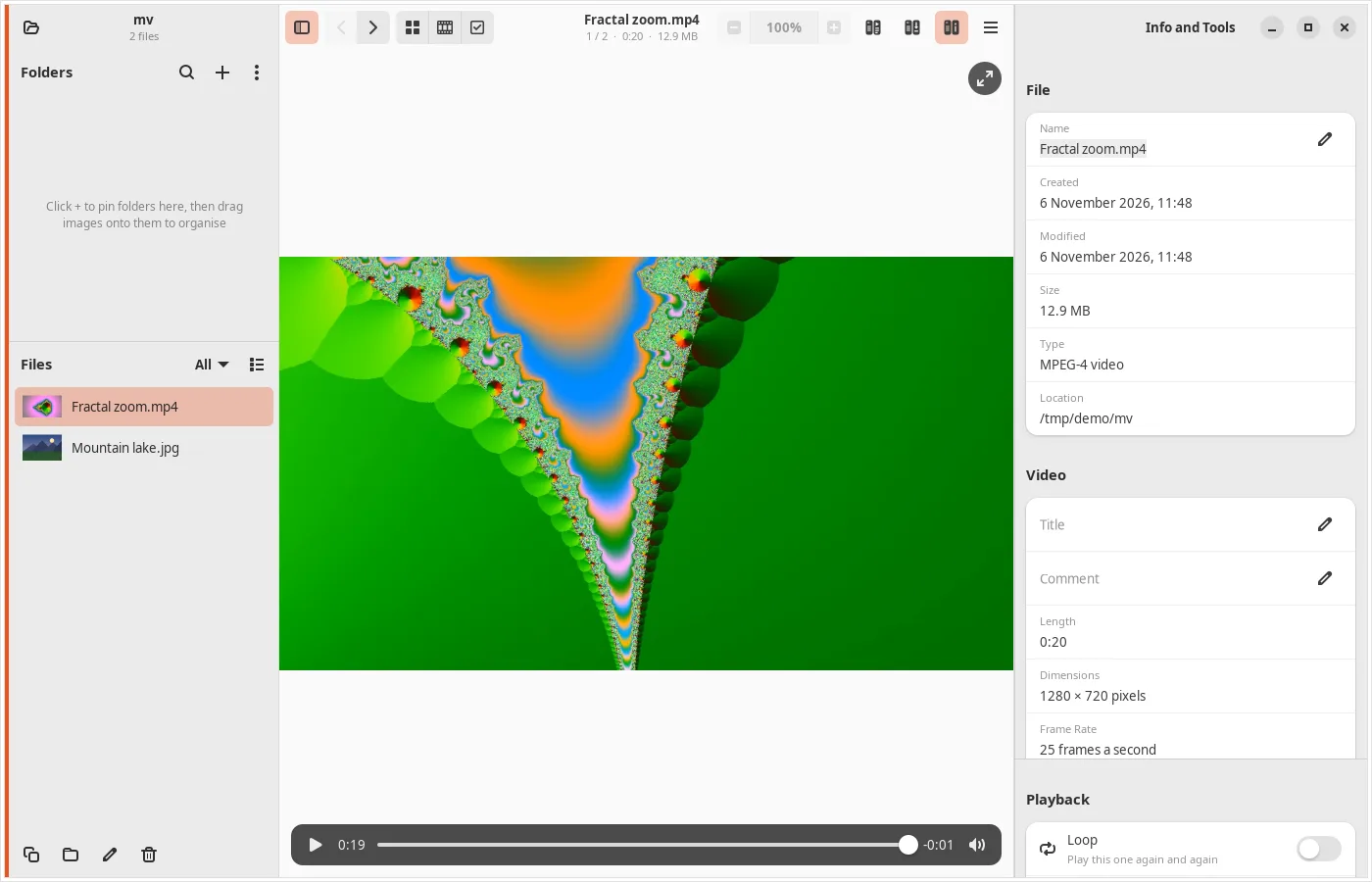
- Videos play right in the window: MP4, MOV, MKV, WebM, AVI, WMV, MPEG and many more, with H.264, HEVC, VP9 and other codecs
- Music shows its title, artist, album and cover: MP3, FLAC, Ogg, Opus, AAC, M4B audiobooks, WAV and more
- A folder of songs plays straight through, like an album
- Subtitles menu (the video's own, or a file beside it) and an Audio menu for several sound tracks; your choices carry on to the next video
- Bookmarks in videos and songs, and, with ffmpeg, save a clip, a turned video, a video without its sound or a single frame
Search and tag
- Search every pinned folder and its subfolders at once, even large libraries on external drives
- Find by part of a name, by type, by date taken or modified, and by tag; combine them and watch the count as you type
- Add, rename and remove tags on one image or many; saved as standard XMP and IPTC keywords that darktable, digiKam and Shotwell can read
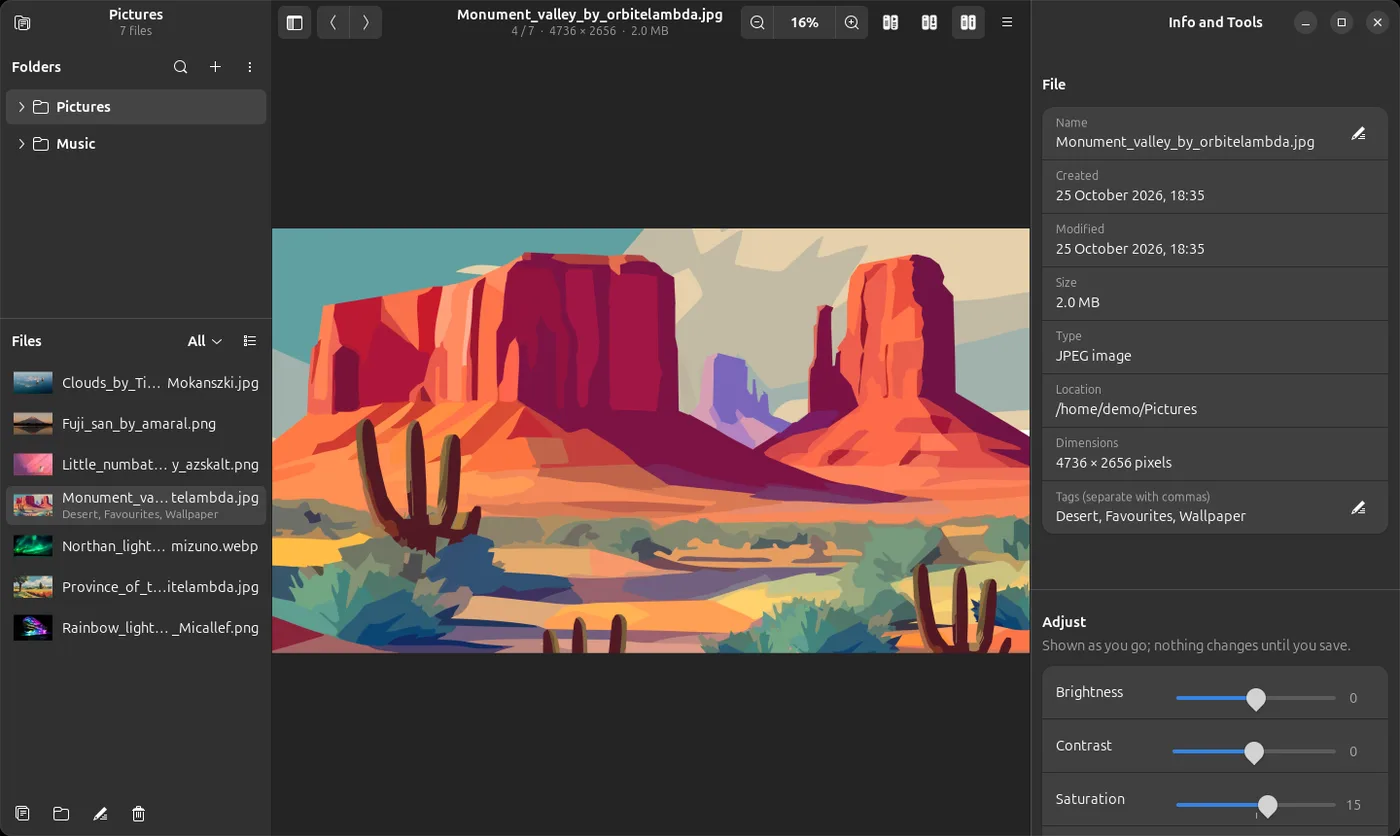
Info and Tools
- Everything about the file beside the picture: name, dates, size, camera, a song's tags, a video's codecs; edit the name, tags and a song's details right there
- Adjust brightness, contrast, saturation, exposure, warmth and sharpness, and turn or flip, seeing the result as you go
- Auto Adjust, Vibrance, White Balance, Levels, Straighten, Perspective, Noise Reduction and Red Eye
- Filters (Black & White, Sepia, Vintage, Cool, Warm, Vivid and more), Crop with shapes, and Capture a boxed part as a new picture
- Merge pictures side by side, stacked, in a grid, or blended; save a copy or over the original, keeping camera details and tags
- Search Online for a song's tags and cover: AcoustID, iTunes, Deezer, MusicBrainz and Wikipedia
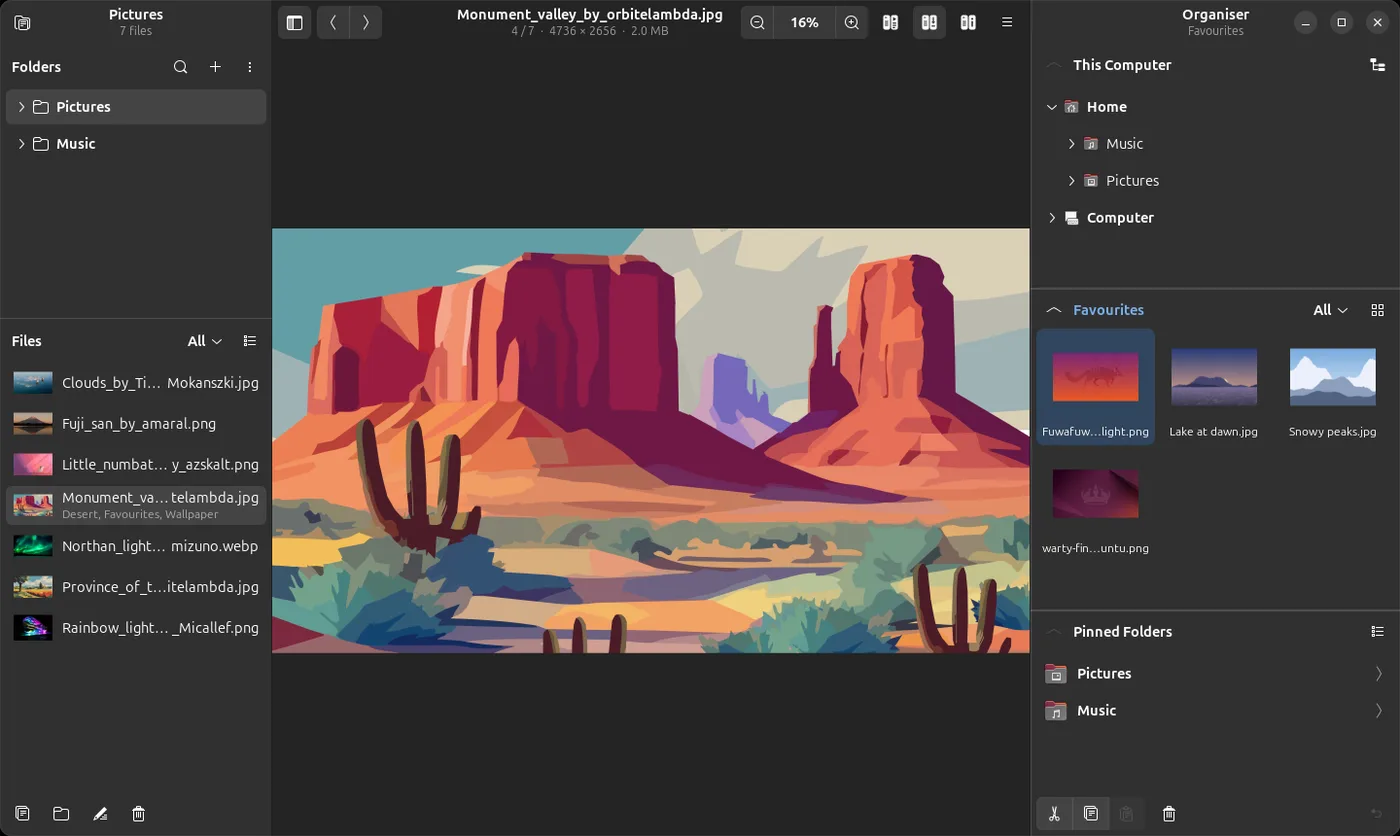
Organise
- The Organiser: three folders beside the picture, as thumbnails, a list or a tree; drag files between them, hold Ctrl to copy
- Pin favourite folders to the sidebar and drag files onto them, with Undo and Alt+1 to 9 quick-move keys
- Copy, move, rename and delete several files at once, to the Trash or for good
- Set any picture as your wallpaper
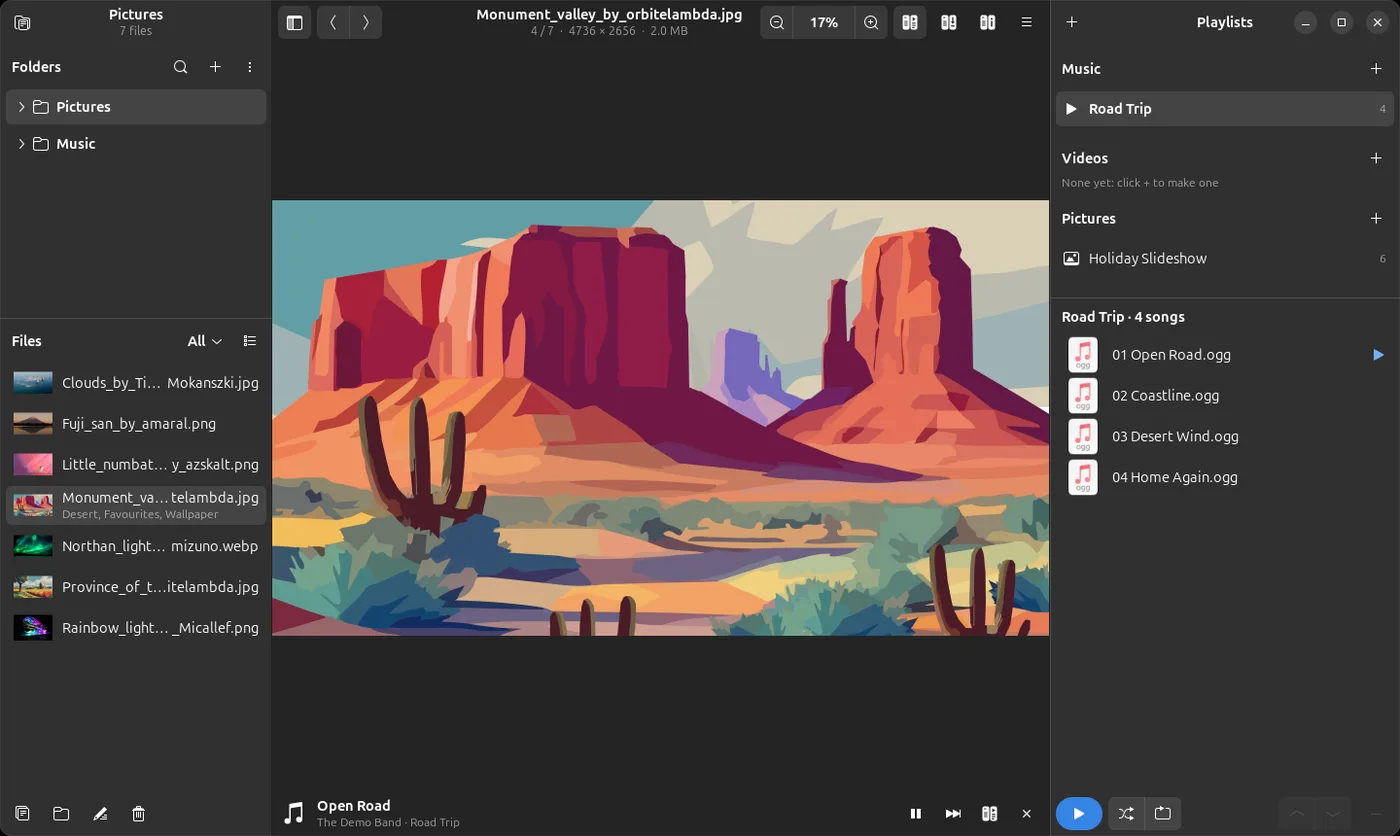
Playlists
- Music, video and picture playlists beside the picture; make one from selected files or by dragging
- Play in order or shuffled; a picture playlist plays as a slideshow
- A music playlist plays on while you browse other folders
- Saved as standard .m3u8 files that Rhythmbox, VLC and Celluloid open too
A closer look
Install it
For Ubuntu 24.04 LTS and newer. Open a Terminal (Ctrl+Alt+T), paste these lines one at a time and press Enter. The first two add the Glimpse software source; the last installs the app. apt fetches everything it needs from Ubuntu itself, and updates come with your normal Ubuntu updates.
sudo add-apt-repository ppa:turone/glimpse
sudo apt update
sudo apt install glimpse-media-viewer
To remove it: sudo apt remove glimpse-media-viewer. The software source is the Glimpse PPA on Launchpad, which has all four Glimpse apps.
The code is open: launchpad.net/glimpse-media-viewer. Problems and ideas go there too, or to [email protected].
Designed by Salvatore Turone and written with the help of Claude Code, Anthropic's AI coding tool: the ideas, design and testing are his; Claude wrote most of the code.
More from Glimpse
 Glimpse File Manager
Browse your files in columns, with previews and Advanced AI Search.
 Glimpse Music
Play the music on your computer, drives, shares and servers.
 Glimpse Network Scanner
See every device on your network, and what it is.
 Lighthouse Launcher
A home screen for Android that is easy for everyone.
Glimpse Media apps are free, with no adverts. If one has helped you, you can say thanks:
☕ Buy me a coffee