 Lighthouse Launcher
 for Android
A home screen that's easy for everyone.
Large, clear icons that open with a single touch. A padlock that stops accidental changes. An Emergency button for peace of mind. Made for older people, and just as good for children and anyone who likes things simple.
Everything you need, nothing you don't.
Most phone screens are crowded with tiny pictures, hidden menus and things that move when touched by accident. Lighthouse Launcher replaces all that with a few big, friendly icons.
Big and clear
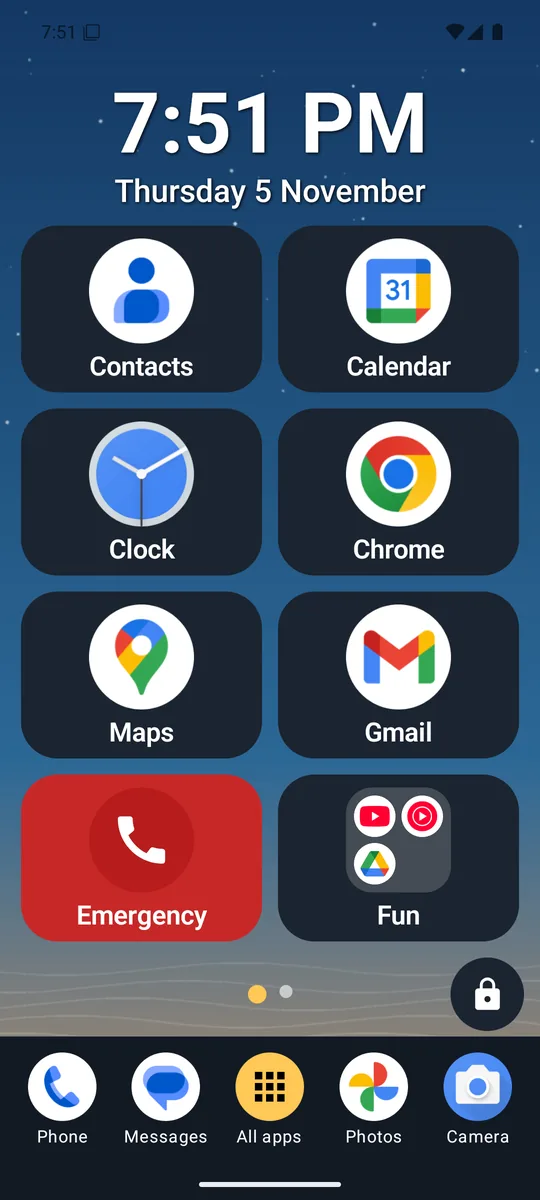
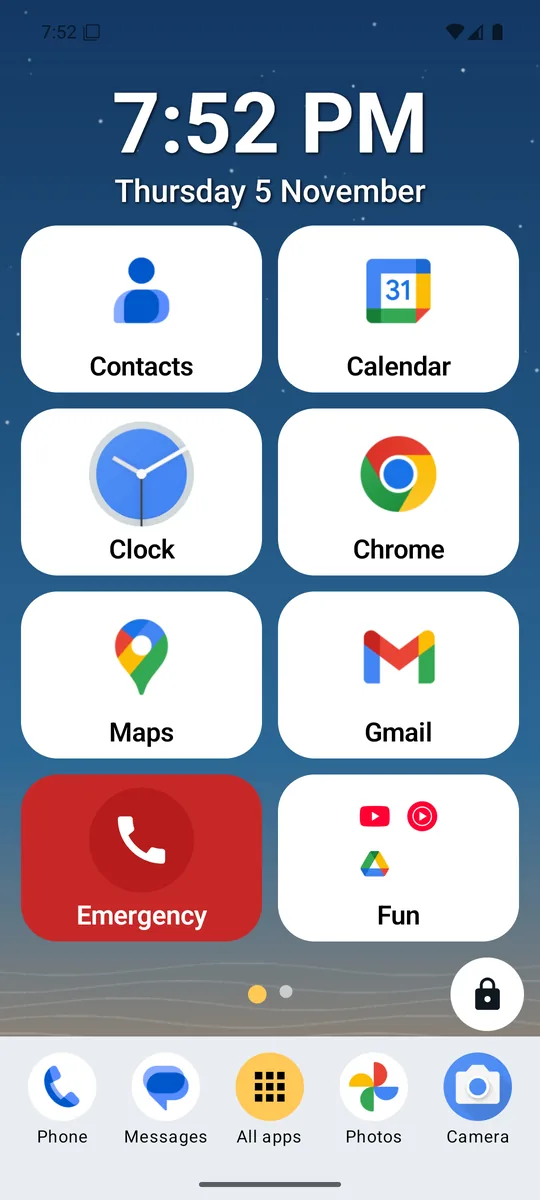
Up to eight large icons on each screen, each with its name underneath. Easy to see, easy to hit, easy to remember.
Safe from accidents
Locked, nothing can be moved, removed or deleted by a stray touch, a shaky hand or a curious child.
An Emergency button
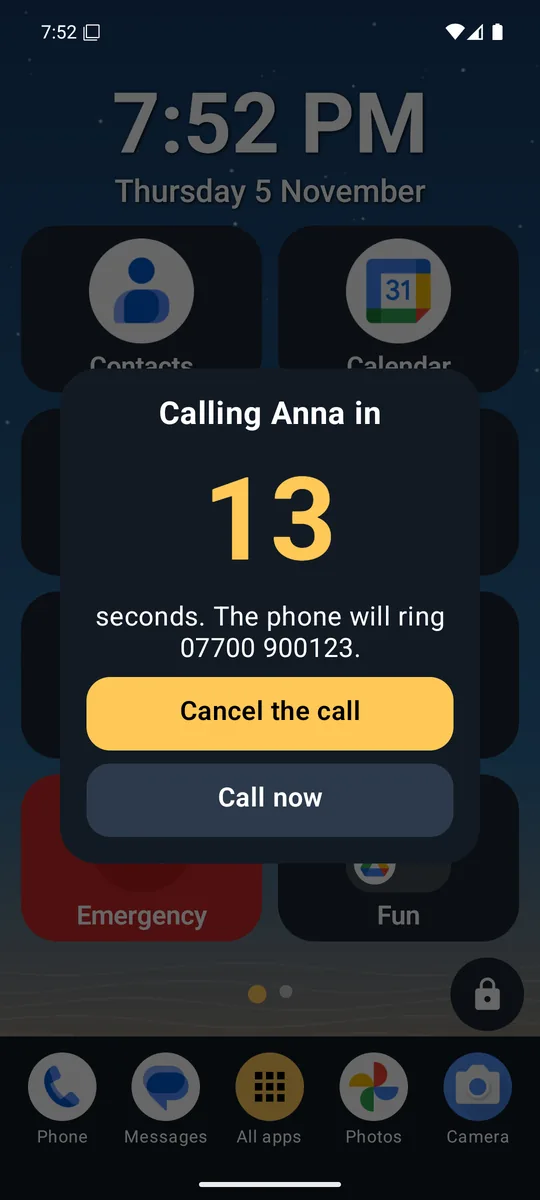
One touch starts a countdown, then rings the person you chose. A big Cancel button stops it if it was a mistake.
Your colours
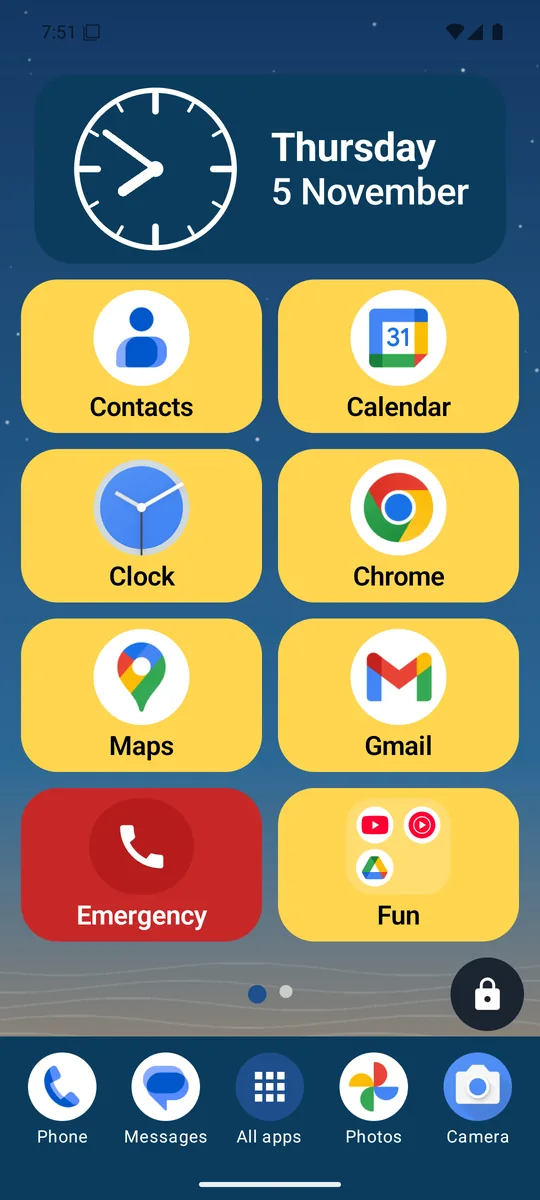
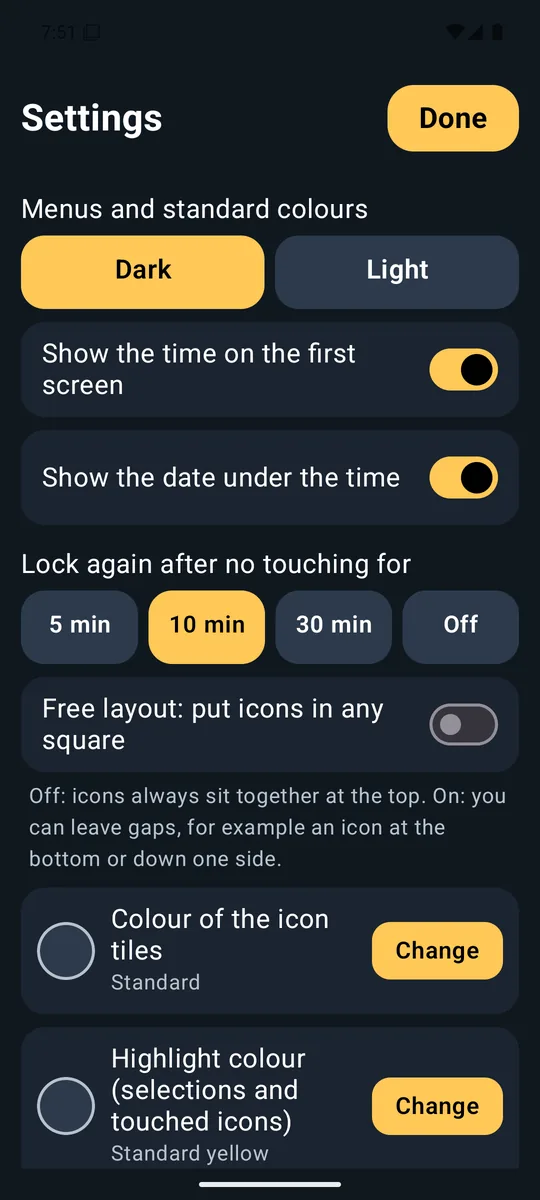
Light or dark menus, and colours you choose for the icons, the bar, the clock and highlights, to suit your eyes.
Locked means safe
Set it up once. After that, it only needs to be used.
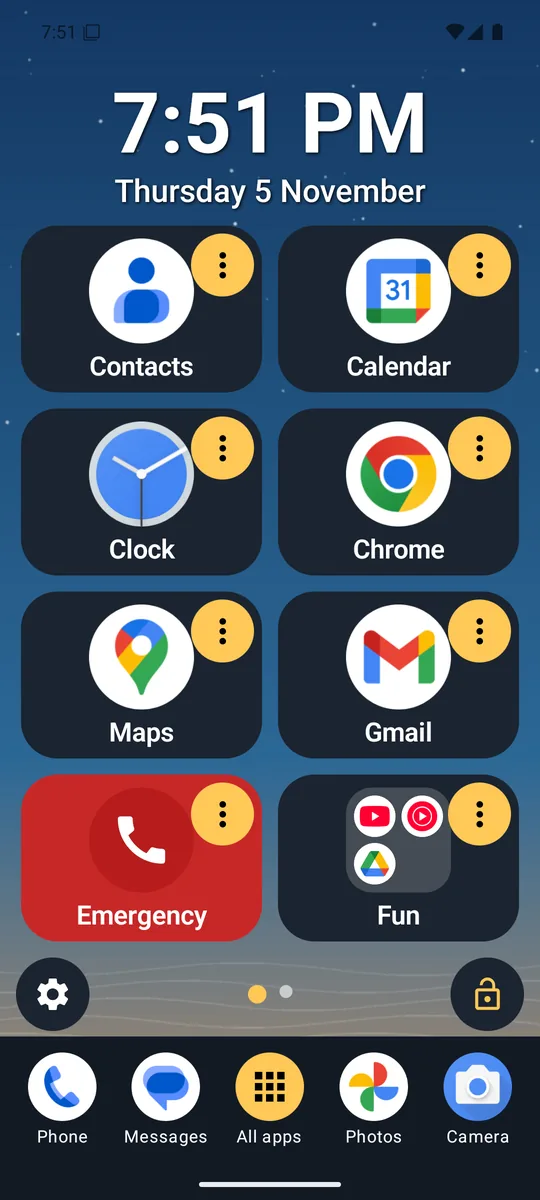
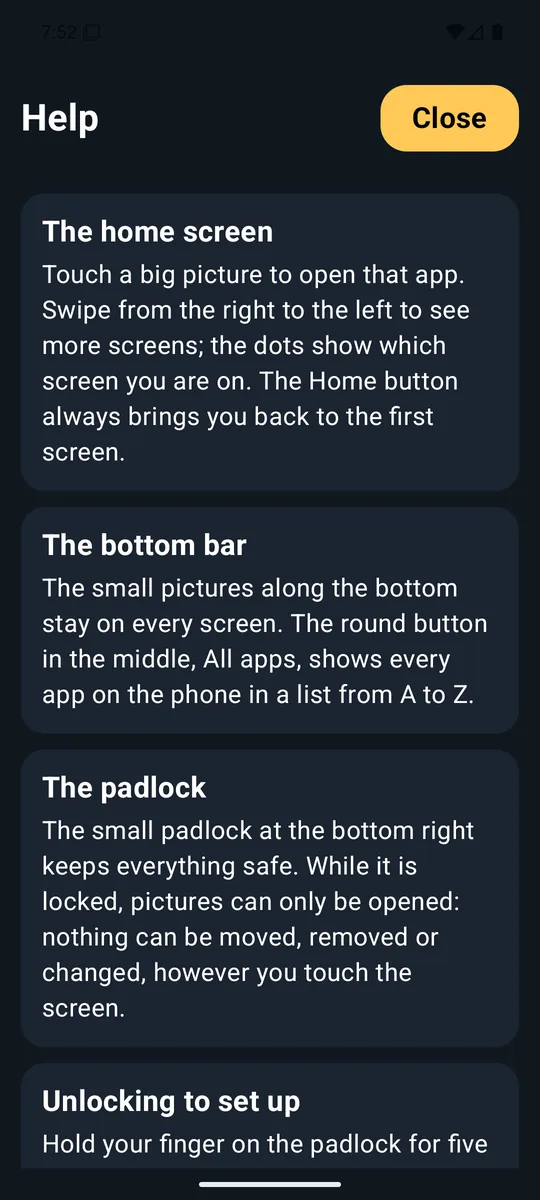
While the padlock is locked, icons can only be opened. They can't be dragged, deleted or changed, however the screen is touched. That makes it a calm, reliable home screen for someone who finds phones confusing, and a safe one for a child.
Whoever helps with set-up unlocks it deliberately, so it can never be unlocked by accident.
- Hold the small padlock for five seconds. A ring fills up and the phone gives a little buzz.
- Arrange everything. Drag icons where you want them, add or remove apps, make folders and change colours.
- Touch the padlock to lock again. It also locks by itself after a while, and whenever the screen turns off.
Peace of mind
One touch to call for help.
Switch the Emergency button on in Settings, choose one phone number, such as a daughter, son, neighbour or carer, and put the red Emergency icon on the first screen.
- Touch the red Emergency icon.
- A 20 second countdown starts with a very large Cancel button. If it was a mistake, one touch stops it.
- At zero, the phone rings your number. Or touch Call now to skip the wait.
All the features
Large icons
Two across, four down. Names are always shown, in large type that follows your phone's font size.
Folders
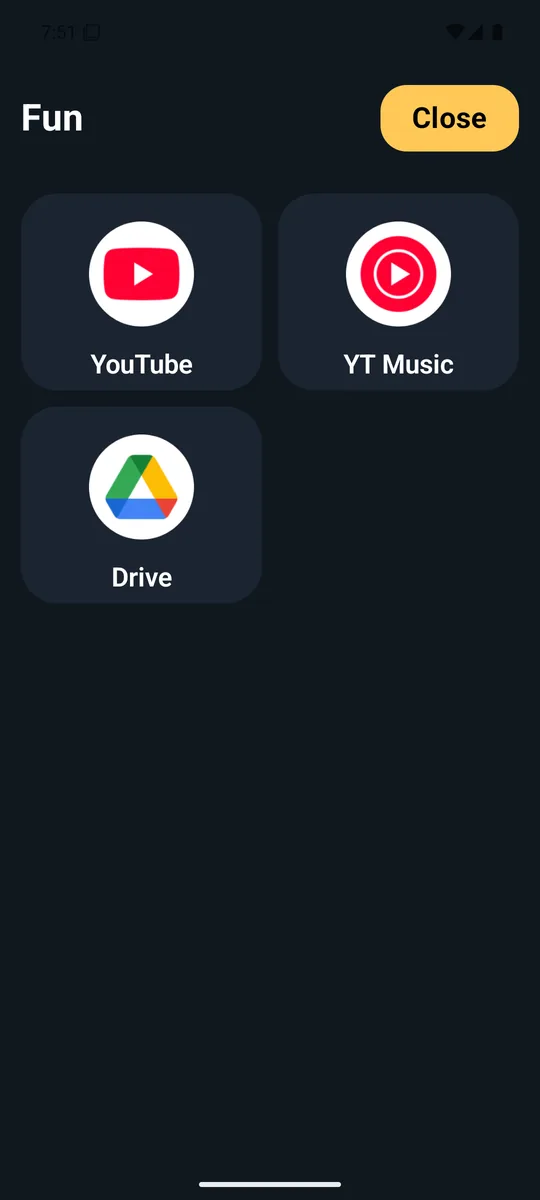
Hold one icon over another to make a folder. It opens into a big panel of big icons, not a tiny pop-up.
Colours and see-through
Choose colours for the icons, the bottom bar, the clock and the highlight from a clear colour chart. Make any of them see-through, or colour one icon differently so it stands out.
Light or dark
Menus in a light or dark style, whichever is easier on the eyes.
A clear clock
The time and date in big digital letters, side by side, or on a round clock face. With or without a coloured panel behind it.
Search that helps
All apps lists everything A to Z with letter headings. Type g, then go, and the list shrinks. Type internet or social and related apps appear below.
Free layout
Put an icon in any square: one at the bottom, two down the side. Or let them sit neatly together at the top.
A bottom bar
Phone, Messages, Gallery and Camera always within reach, with a big All apps button in the middle.
Your wallpaper
Pick a family photo for the home screen or lock screen.
Help built in
A plain-language Help page explains every feature, and the Home button always brings you back to the start.
For every age
Older people
No tiny buttons, no hidden menus, no fear of deleting something. Large icons with clear words, and a home screen that never changes unless a helper changes it.
Children and teenagers
A simple, calm screen with only the apps a parent chooses. The lock keeps it that way, and there are no adverts to tap.
Families and carers
Set it up in a few minutes on someone else's phone, add their favourite apps and a trusted emergency number, then lock it and relax.
Take a look
Free, private and honest.
Free, with no adverts
Lighthouse Launcher is free to use and will never show adverts.
Nothing leaves the phone
It has no internet access, no accounts and no tracking. Your layout, colours and the emergency number stay on the phone.
Support and fixes, free
Questions or a problem? Write to [email protected]. Bug fixes are free.
Questions
How do I get it?
Lighthouse Launcher is coming to Google Play. When it is there, search for "Lighthouse Launcher", install it, read the short welcome pages, and choose it as your home screen when the phone asks.
Which phones does it work on?
Android phones running Android 8 or newer, which is nearly every Android phone from the last several years.
Does it replace my phone's own home screen?
Only if you choose it as your home screen. You can go back at any time in your phone's Settings: Apps, Default apps, Home app.
Will I lose any apps or photos?
No. Lighthouse Launcher only changes how your apps are shown. Removing an icon from a screen never removes the app, and every app is always in All apps.
What does the Emergency button cost?
Nothing extra. It places an ordinary call to the number you chose, using your normal phone plan.
Can the Emergency button call 999, 112 or 911?
It rings one number you choose. For most people that is a relative, neighbour or carer. In a life-threatening emergency always dial your local emergency number.
Who makes it?
Lighthouse Launcher is made by Glimpse Media. It was designed by Salvatore Turone and written with the help of Claude Code, Anthropic's AI coding tool.
Glimpse Media apps are free, with no adverts. If one has helped you, you can say thanks:
☕ Buy me a coffee